Introdução

Nesta seção, explicaremos como implementar o plugin Nuvemshop em sua plataforma conforme o produto contratado.

Introduction

In this section, we will explain how to implement the Nuvemshop plugin on your platform as per the contracted product.

Pré-Requisitos

Ter sua loja cadastrada na plataforma Nuvemshop.

Instalar o plugin conforme o produto contratado (Realtime Decision).

Prerequisites

Have your store registered in Nuvemshop platform.

Install the plugin according to the contracted product (Realtime Decision).

Configuração

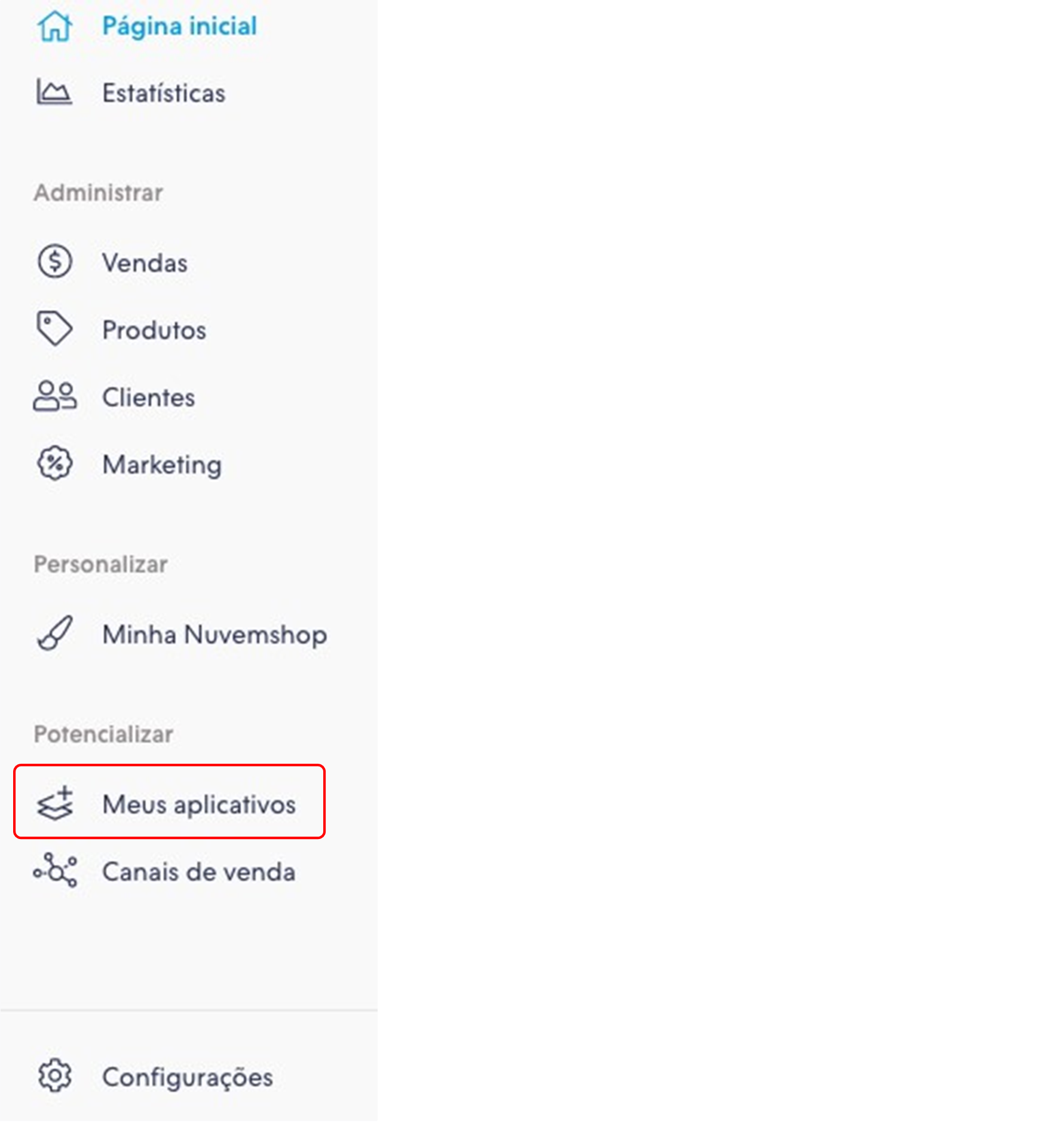
1 - Entre com a conta de administrador da sua loja Nuvemshop, clique em “Meus aplicativos” no menu, conforme imagem abaixo:


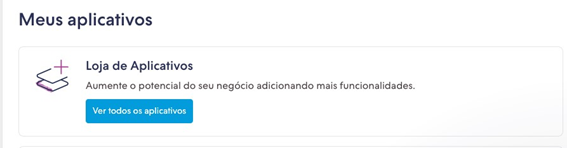
2 - Clique em “Ver Aplicativos” conforme imagem abaixo:


3 - Será exibida a tela mais abaixo, role ela até encontrar o aplicativo “Clear Sale Realtime”.


4 - Após localizar ao clicar em “Instalar”, será necessário dar as permissões, conforme tela mais abaixo:


5 - Após clicar em “Aceitar e começar a usar”, será exibida a tela mais abaixo, onde terá que colocar os seus dados (login, senha e fingerprint) da ClearSale.


6 - Após preencher todos os dados e clicar em “instalar”, serão exibidos os passos de instalação e a URL que começa com https://nuvemshop.clear.sale/ que deve ser informada para a ClearSale, conforme tela mais abaixo:


Obs.: No espaço grifado em amarelo será exibido o id da sua loja na Nuvemshop.


7 - Após isto o aplicativo já estará instalado, conforme a tela mais abaixo:


Configuration

1 - Log in to your Nuvemshop store administrator account, click on "Meus aplicativos" in the menu as shown below:


2 - Click on “Ver Aplicativos” as below image:


3 - The screen below appears, scroll down until you find the “Clear Sale Realtime” app.


4 - After locating by clicking on “Instalar”, you will need to give the permissions as shown below:


5 - After clicking “Aceitar e começar a usar”, the screen below will appear, where you will have to enter your data (login, senha and fingerprint) from ClearSale.


6 - After filling in all the data and clicking “instalar”, the installation steps will be displayed and the URL that begins with https://nuvemshop.clear.sale/ which should be reported to ClearSale as shown below:


Obs.: In the space underlined in yellow will be displayed the id of your store in Nuvemshop.


7 - After that the application is already installed, as the screen below: